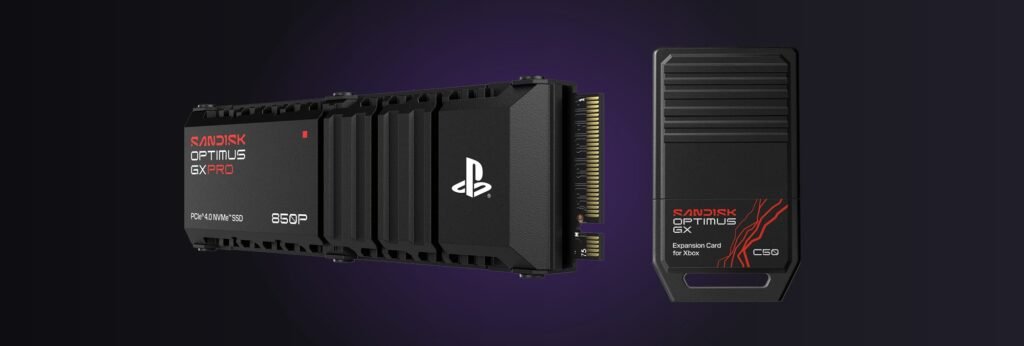
Verdict: clear 250 GB before GTA 6 pre-load opens at local midnight on November 12. The PS5 download was reported at 210 GB, and the extra 40 GB is room for a launch patch. If your console can’t free that much without deleting games you still play, a PS5 M.2 SSD or an Xbox Storage Expansion Card fixes it in one sitting. A USB drive won’t, because neither console runs current-gen games from USB.
Updated October 30, 2026 · Storage rules from PlayStation Support and Xbox Support, drive specs from Sandisk, Samsung and Seagate, all checked October 29-30, 2026. File size as reported by Insider Gaming on October 27; Rockstar hasn’t confirmed it.
Who this is for: anyone with a PS5, PS5 Pro or Xbox Series X|S who wants GTA 6 ready on launch night without a storage-full error. For the unlock time in your region, editions and prices, see our GTA 6 release time and pre-load guide.
How much space does GTA 6 need? Plan on 250 GB
Rockstar hasn’t published a download size. The number going around is 210 GB for the PS5 version. It came from PlayStation Game Size, an X account that tracks PlayStation Store data, and Insider Gaming said on October 27 that it could corroborate it. The Xbox listing still showed a pre-order placeholder of about 329 MB when we checked on October 30, so there’s no real Xbox number yet.
Why 250 and not 210? Patches. Rockstar shipped a day-one title update for Red Dead Redemption 2 in 2018 and asked players to install it before starting. Plan for the same here. On PS5 there’s one more catch: Sony says all of a game’s data has to sit in one place, so you need the full amount free on a single drive, not split across two.
The box is no shortcut either. Rockstar says the boxed GTA 6 is a download code with no disc, so every copy downloads the full game.
How much free space does your console actually have?
Less than the box says. Sony and Microsoft both reserve part of the SSD for the system, and neither publishes the usable number. The figures below come from reviewers who checked empty consoles, and the last column is what’s left after you set aside 250 GB.
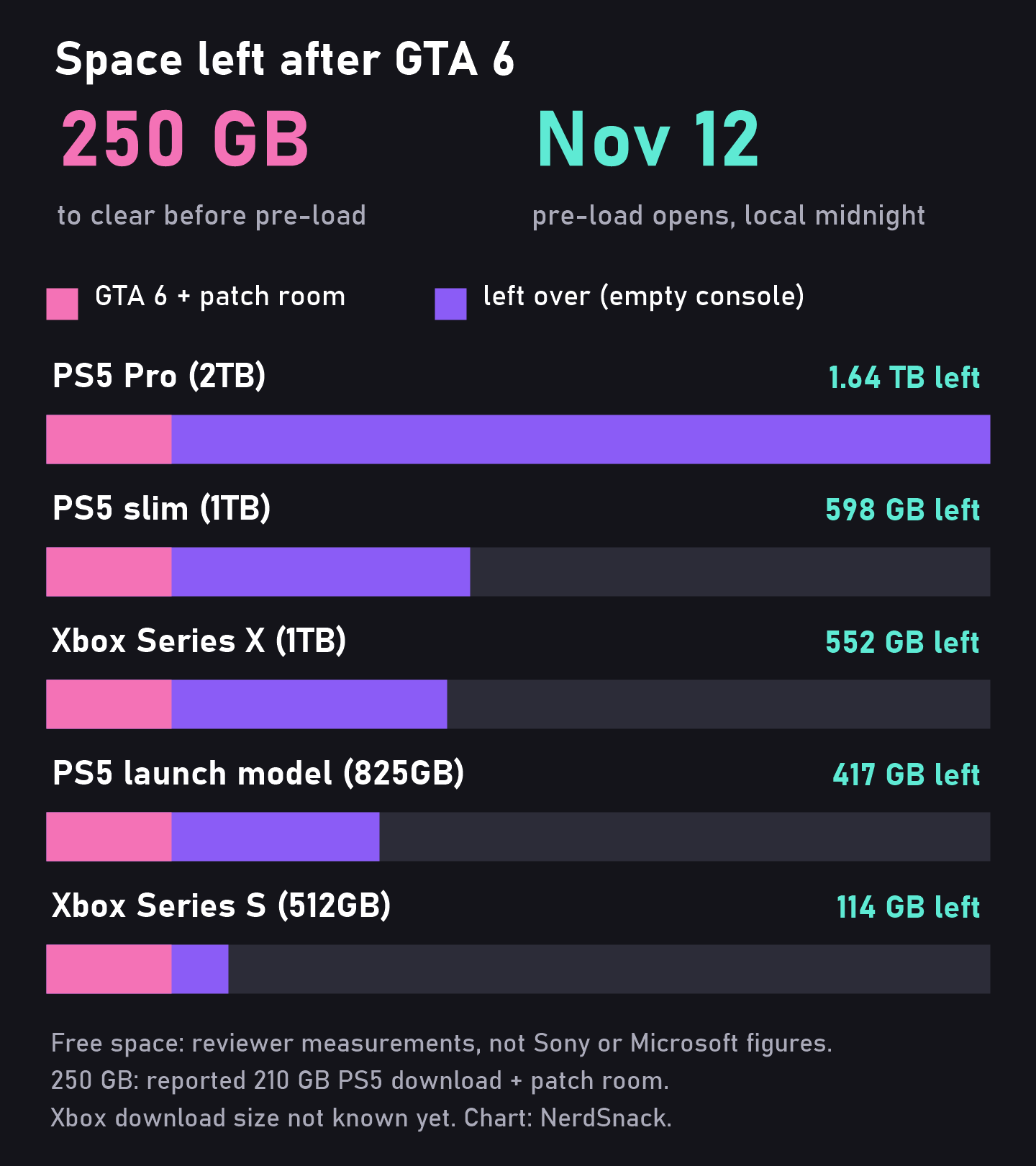
| Console | Free when new | After 250 GB |
|---|---|---|
| PS5 launch model, 825 GB | about 667 GB | about 417 GB |
| PS5 Digital, 825 GB (2025 model) | about 667 GB (our estimate) | about 417 GB |
| PS5 slim, 1 TB | about 848 GB | about 598 GB |
| PS5 Pro, 2 TB | about 1.89 TB | about 1.64 TB |
| Xbox Series S, 512 GB | about 364 GB | about 114 GB |
| Xbox Series S, 1 TB | about 800 GB (our estimate) | about 550 GB |
| Xbox Series X, 1 TB | about 802 GB | about 552 GB |
| Xbox Series X, 2 TB | about 1.8 TB (our estimate) | about 1.55 TB |
Measured figures: PS5 launch model (GameSpot and Push Square, 2020), PS5 slim storage menu (Digital Trends, 2023), PS5 Pro (early reviews via PSU, 2024), Xbox Series X and Series S (IGN via Windows Central, and early units, 2020). Our estimates assume the same system reserve as the closest measured model. Xbox rows use the PS5 size because the Xbox size isn’t known yet.
The takeaway: a PS5 slim, PS5 Pro or Series X has room if you’re not already full. The 512 GB Series S is the tight one. If the Xbox version lands anywhere near the PS5 number, GTA 6 would fill most of that console on its own.
How to check free space and clear room on PS5
On PS5, go to Settings > Storage. That screen shows what’s free on the console, plus any M.2 SSD or USB drive you’ve added.
- Delete: Settings > Storage > Console Storage > Games and Apps, tick what you don’t need, then Delete. You can re-download anything you own from your game library later.
- Delete only part of a game: if a game shows Customize next to its name, you can remove pieces you’re done with, such as a finished campaign or unused add-ons, and keep the rest.
- Park it instead: move big PS5 games to a USB drive formatted as USB extended storage (Game Library, highlight the game, Options, Move Games and Apps). You can’t play them from there, but copying one back is usually quicker than downloading it again.
- From your phone: Sony’s PlayStation App can manage console storage too, handy if you’re at work on November 11.
Your saves are managed separately, under Settings > Saved Data and Game/App Settings. PlayStation Plus members can upload them to the cloud first if they want a backup before a big cleanup.
How to check free space and clear room on Xbox Series X|S
Press the Xbox button, then go to Profile & system > Settings > System > Storage devices. Each drive shows how full it is.
- Let Xbox pick: My games & apps > See all > Manage > Free up space. Xbox suggests things to remove, like add-ons for games you’ve already deleted or Game Pass games that left the catalog.
- Uninstall: highlight a game, press Menu, choose Uninstall. Microsoft says your license and progress stay in the cloud.
- Park it: Manage game and add-ons, then Move or copy, to send a game to a USB drive (USB 3.0 or newer, 128 GB minimum). Microsoft suggests exactly this for big Series X|S games if your internet is metered.
One trap: if you leave install locations on Let Xbox decide, Microsoft says it can install a game to a slower USB drive when that’s the only drive with space. A Series X|S game parked there won’t play until you move it back.
Upgrade PS5 storage: Sony’s M.2 SSD rules
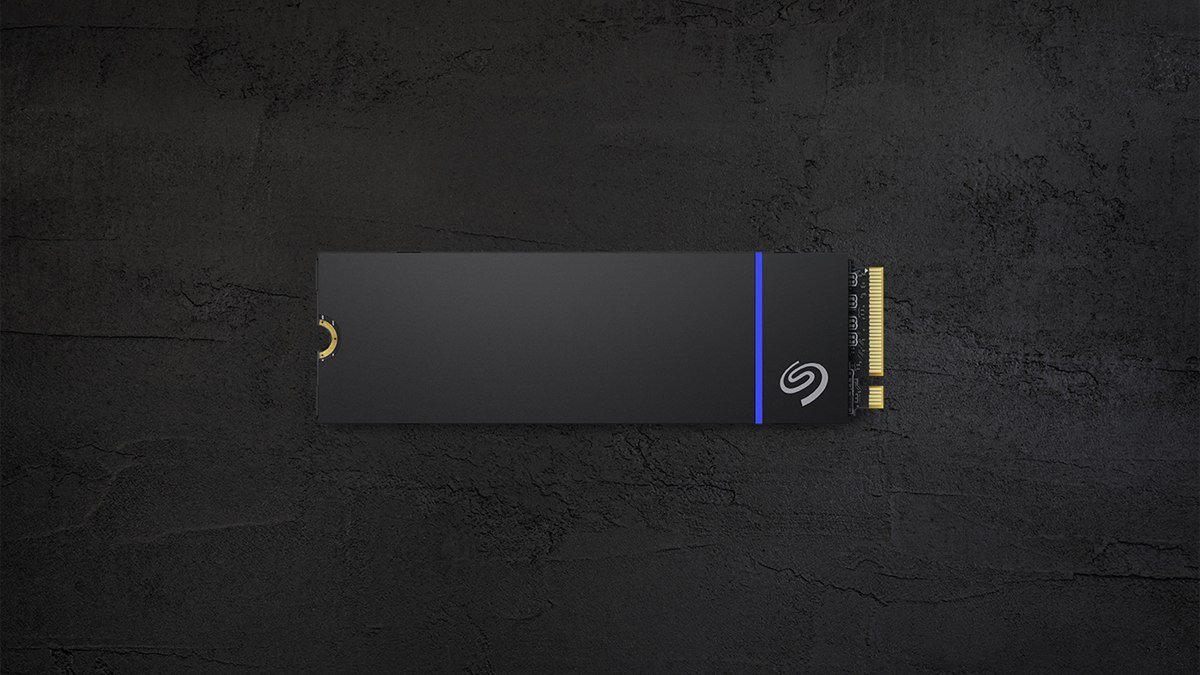
A PS5-ready M.2 drive looks like this: a 2280 stick with the heatsink already on. Image: Seagate.
Every PS5 has a spare M.2 slot: the launch model, the slim, the Digital Edition and the PS5 Pro. Sony’s support page lists the rules, and two of them trip people up: the heatsink and the height limit.
| What | Sony’s rule |
|---|---|
| Type | PCIe Gen4 x4 M.2 NVMe SSD (Key M). M.2 SATA drives don’t work |
| Capacity | 250 GB to 8 TB |
| Read speed | 5,500 MB/s or faster recommended |
| Length | 2230, 2242, 2260, 2280 or 22110 |
| Size with cooler | Up to 25 mm wide and 11.25 mm tall (8 mm above the board, 2.45 mm below) |
| Cooling | Required: a heatsink or heat transfer sheet |
Source: PlayStation Support, “How to add an M.2 SSD to a PS5 console,” checked October 29, 2026.
Two lines further down that page matter more than the table. First, Sony says the PS5 doesn’t support Host Memory Buffer (HMB), so some budget drives that lean on it “may experience slower-than-expected performance.” Second, Sony says not every game runs exactly as it does on the internal SSD, even on a drive faster than 5,500 MB/s. If a game misbehaves, move it back to internal storage. So keep GTA 6 internal if it fits, and send older games to the new drive.
Installing takes a #1 Phillips screwdriver. On a slim or PS5 Pro you pop off a small cover, on a launch model you slide off the whole side panel. Turn the console on and it walks you through formatting the drive. Then set Settings > Storage > Installation Location if you want new downloads to go straight to it.
Best SSDs for GTA 6 on PS5 (and the Xbox cards)
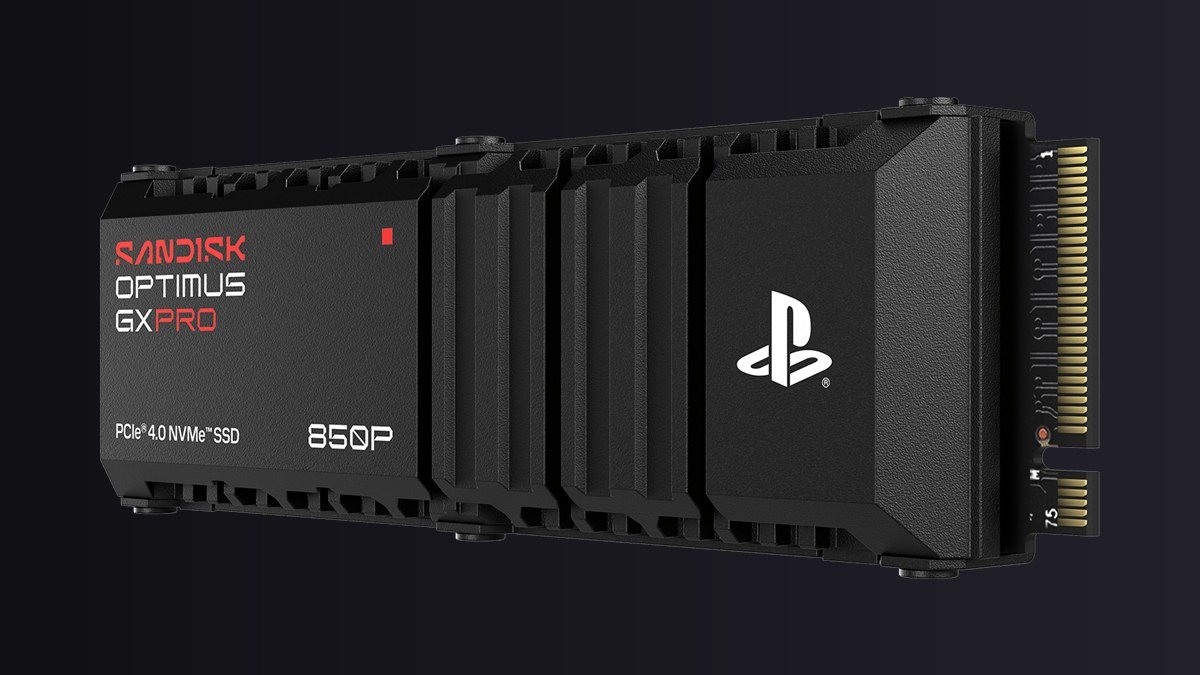
The 850P, formerly sold as the WD_BLACK SN850P, is officially licensed for PS5 and PS5 Pro. Image: Sandisk.
Every PS5 pick below meets Sony’s spec on the maker’s own page: PCIe Gen4, a heatsink built in, and rated reads of 7,300 MB/s or more. Two names changed recently. Western Digital’s WD_BLACK SSDs now sell under the Sandisk brand, so the WD_BLACK SN850P is now the Sandisk Optimus GX PRO 850P, and the SN850X is now the Optimus GX PRO 850X. Stores carry both names.
| Drive | Fits | Sizes | Why pick it |
|---|---|---|---|
| Sandisk Optimus GX PRO 850P Check price | PS5, PS5 Pro | 1, 2, 4, 8 TB | Officially licensed for PS5, PlayStation-logo heatsink. Easiest pick |
| Sandisk Optimus GX PRO 850X with heatsink Check price | PS5, PS5 Pro (heatsink model) | 1, 2, 4, 8 TB | Same 7,300 MB/s class, and it works in a gaming PC later |
| Samsung 990 PRO with Heatsink Check price | PS5, PS5 Pro | 1, 2 TB | Highest rated read here, 7,450 MB/s, with a DRAM cache |
| Seagate Game Drive PS5 NVMe SSD Seagate page | All PS5 models | 1, 2 TB | Officially licensed, up to 7,400 MB/s, 5-year warranty |
| Sandisk Optimus GX C50 Check price | Xbox Series X|S | 512 GB, 1, 2 TB | Officially licensed card, 5-year warranty |
| Seagate Storage Expansion Card Seagate page | Xbox Series X|S | 1, 2, 4 TB | Goes up to 4 TB, co-designed with Xbox |
Specs and sizes from each maker’s product page, checked October 29-30, 2026. Amazon links go to the 1 TB 850P and the 2 TB versions of the others; pick your size on the page. The two Seagate drives link to Seagate because Amazon only showed third-party sellers when we checked.
Which one would we buy?
For most PS5 owners, the 850P in 2 TB. It’s the licensed drive, the heatsink is already sized for Sony’s slot, and 2 TB means GTA 6 never forces another cleanup. If you also have a gaming PC, the 850X with heatsink is the same speed class and moves to a PC later without any fuss. Just make sure you pick the heatsink version, because Sandisk only lists that one for PS5.
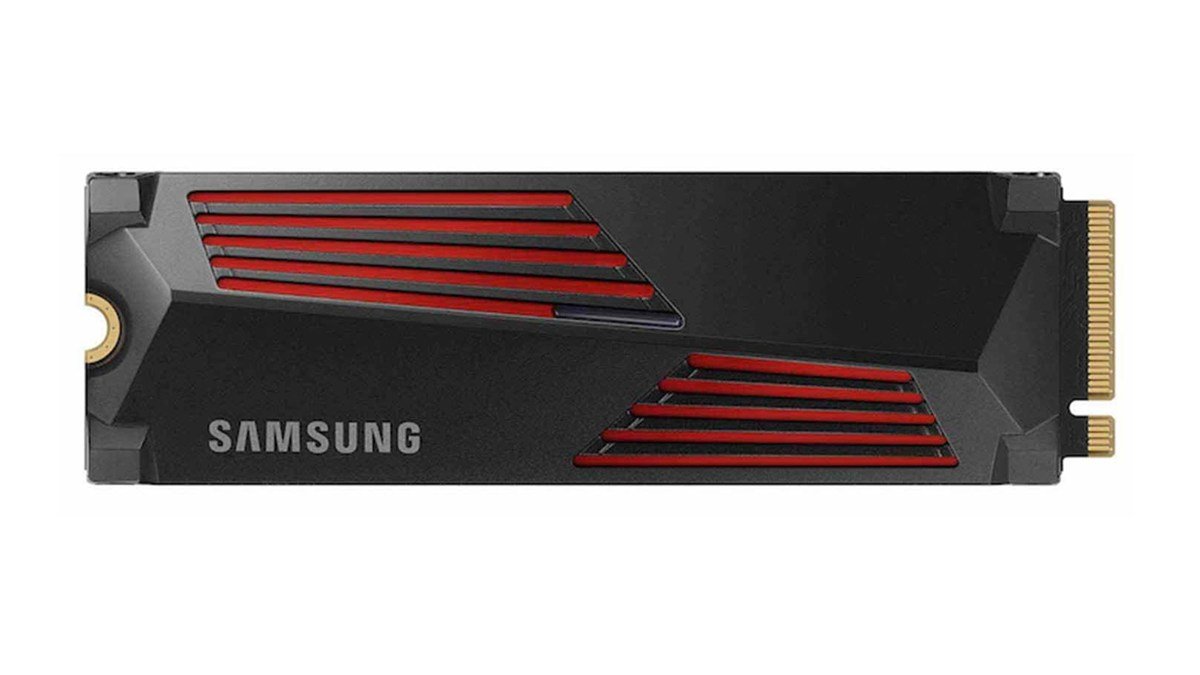
Samsung’s 990 PRO with Heatsink is rated 7,450 MB/s and labeled PS5 compatible. Image: Samsung.
The Samsung 990 PRO with Heatsink has the highest rated read speed of the bunch and Samsung’s spec sheet lists an LPDDR4 DRAM cache, so Sony’s HMB warning doesn’t apply. Samsung’s US store only lists 1 TB and 2 TB with the heatsink.
What about Crucial? The T500 with heatsink is marketed as PS5-ready and rated 7,400 MB/s. But Micron announced in December 2025 that it was leaving the Crucial consumer business, with shipments ending in February 2026. Micron says warranties are still honored. Buy one only if you find new stock from a seller you trust.
Xbox Series X|S: you need an expansion card, not a USB drive
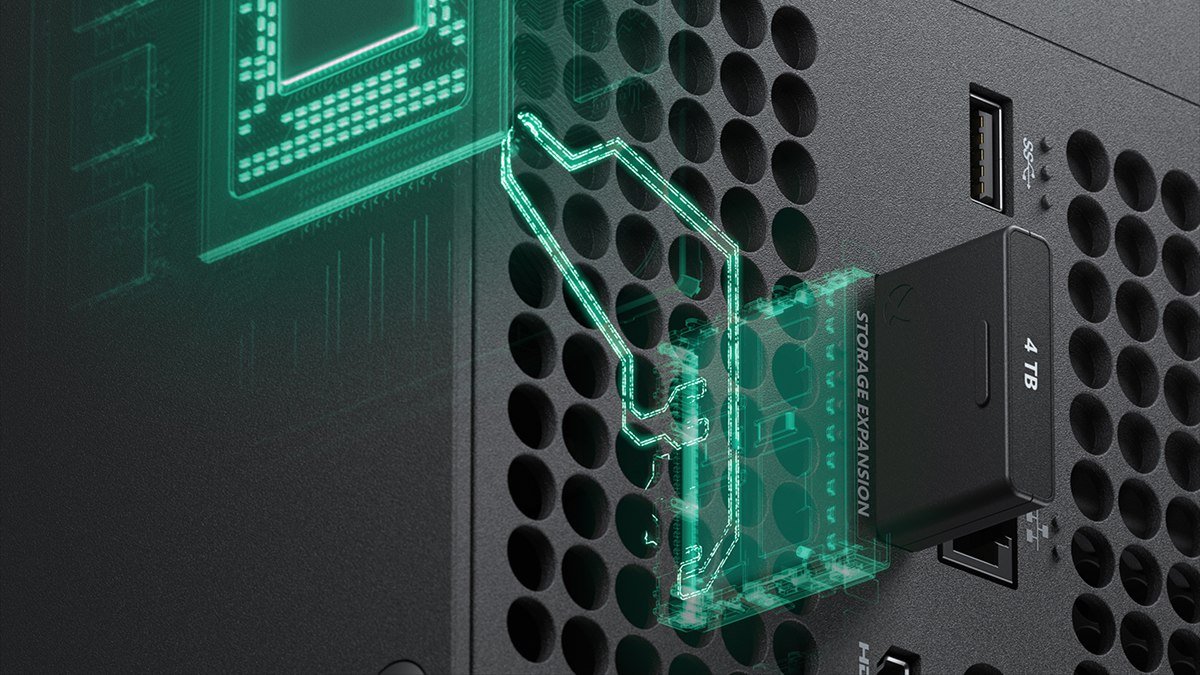
The card plugs into the back of the console, no screwdriver needed. Image: Seagate.
Xbox makes this simple. Microsoft says games optimized for Series X|S must be installed on the internal SSD or a Storage Expansion Card, and that the card “performs identically to the console’s internal SSD.” The card plugs into the storage expansion slot on the back. Microsoft’s one setup tip: take your first Xbox update before you connect it.
Microsoft’s support page lists 512 GB, 1 TB and 2 TB cards. Seagate now also sells a 4 TB card. Sandisk’s Optimus GX C50, the old WD_BLACK C50, comes in 512 GB, 1 TB and 2 TB with a 5-year warranty, versus 3 years on Seagate’s card.
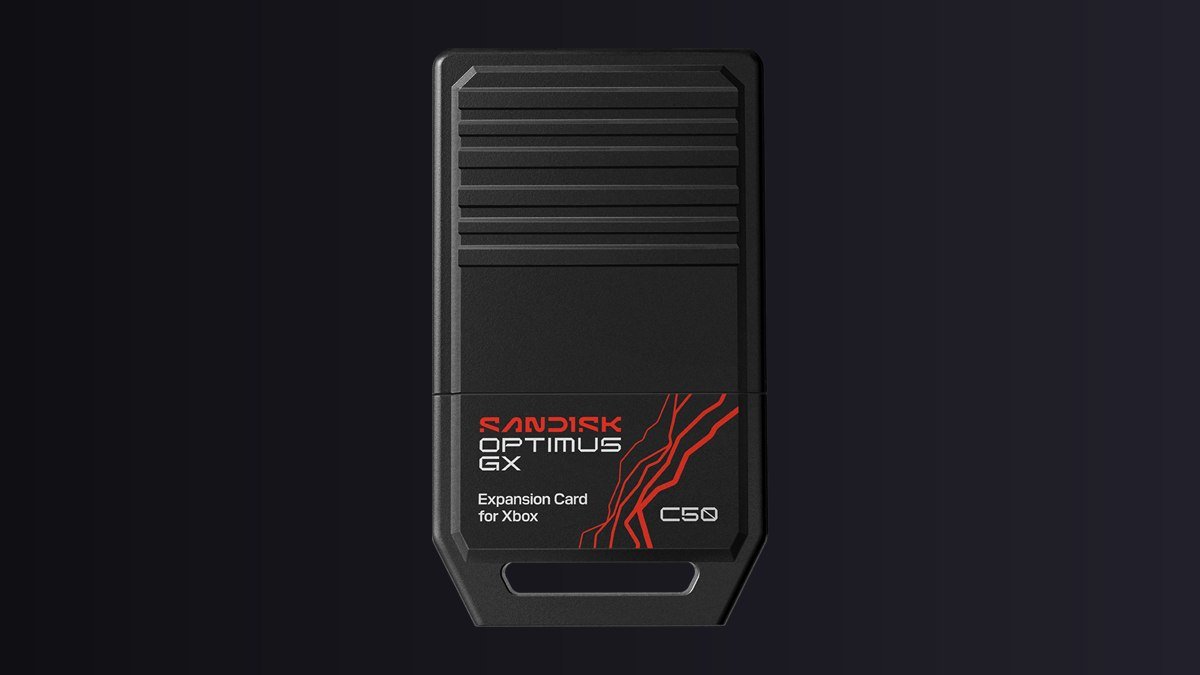
Sandisk’s C50 card, formerly WD_BLACK C50, is officially licensed for Xbox Series X|S. Image: Sandisk.
Our pick: on a 512 GB Series S, a 1 TB card at minimum, because about 114 GB left after GTA 6 is one big game away from full. On a Series X, only bother if your Storage devices screen shows less than 250 GB free after a cleanup.
Can you play GTA 6 from an external USB drive?
No, on either console. Both companies say so in their support pages:
- PS5: “PlayStation 5 games can’t be played directly from USB extended storage.” You can store PS5 games there and copy them back, and PS4 games do run from USB. The drive needs SuperSpeed USB 5 Gbps or faster, 250 GB to 8 TB, and can’t go through a hub.
- Xbox: games optimized for Series X|S have to be on the internal SSD or an expansion card to play. A USB 3.0 drive of 128 GB or more can store them.
That still makes a cheap USB drive useful: park your backlog on it, free the fast storage for GTA 6, and copy games back when you want them.
GTA 6 storage FAQ
Can I pre-load GTA 6 to an external drive?
Not on PS5: PS5 games download only to console storage or an M.2 SSD. On Xbox, Microsoft says “Let Xbox decide” can drop a download on a slower USB drive if it’s the only one with space, and you’d have to move it before playing. Clear internal space or add a card before November 12.
Is 1 TB enough for GTA 6?
Yes. A 1 TB PS5 slim shows about 848 GB free when new, so even with 250 GB set aside for GTA 6 there’s room for several other big games.
Will GTA 6 load faster from an M.2 SSD?
Don’t expect it to. The PS5’s own drive is already fast, and Sony says games on an added SSD may not match the internal drive’s performance. Buy the SSD for space.
How big is GTA 6 on Xbox?
Unknown. The Xbox listing still showed a pre-order placeholder of about 329 MB on October 30. Real sizes usually show up when pre-load opens, and we’ll update this page on November 12.
Next step: check Settings > Storage on PS5 or Storage devices on Xbox tonight. If you have 250 GB free, you’re done. If not, park or delete old games first, and add a drive only if that means losing games you still play. While you wait, plan the launch-night food with our GTA 6 snack plan.
Add storage before Nov 12
Read next: GTA 6 Release Date and Time, Pre-Load and Price · GTA 6 Snacks: What to Eat on Launch Day · GTA 6 Food in Real Life: Burger Shot and Cluckin’ Bell · Nintendo Switch 2 vs PS5: Which Should You Buy?
Sources: M.2 SSD rules, USB extended storage rules and storage steps from PlayStation Support; storage steps, external drive rules and Storage Expansion Card details from Xbox Support (all checked October 29, 2026). Console capacities from PlayStation.com and Xbox.com. Drive specs, capacities and licensing from Sandisk, Samsung and Seagate product pages (checked October 29-30, 2026). Free-space figures from GameSpot, Push Square, Digital Trends, PSU and Windows Central. Reported PS5 file size from Insider Gaming (October 27, 2026); Xbox listing install size checked October 30, 2026; pre-load time from Rockstar Support. Red Dead Redemption 2 title update from Rockstar’s Newswire (October 23, 2018). Crucial exit from Micron’s December 3, 2025 announcement. Product images: Sandisk, Samsung, Seagate.
Add NerdSnack as a preferred source on Google
The Weekly Pull
The biggest card price moves, every Friday.
The week’s biggest card and collectible price moves, plus the movie, anime and game releases worth knowing about. Sign up and get our free Black Friday 2026 price-to-beat cheat sheet. Free. Unsubscribe anytime.
Related Posts:



Talk to us
Got a question, a tip or a request? Email us.
A real person reads every message at hello@nerdsnack.com, and we usually reply within 1–2 business days.
Prefer a form? Use our contact page.
Fanatical has the deepest discounts on PC games and bundles — legally key-redeemable on Steam and other platforms.